DUKATRACK POS
Fast checkout and connected selling for modern retail teams.
Sell in-store, on mobile, or across branches with M-Pesa payments, barcode scanning, receipts, customer records, and real-time inventory sync.
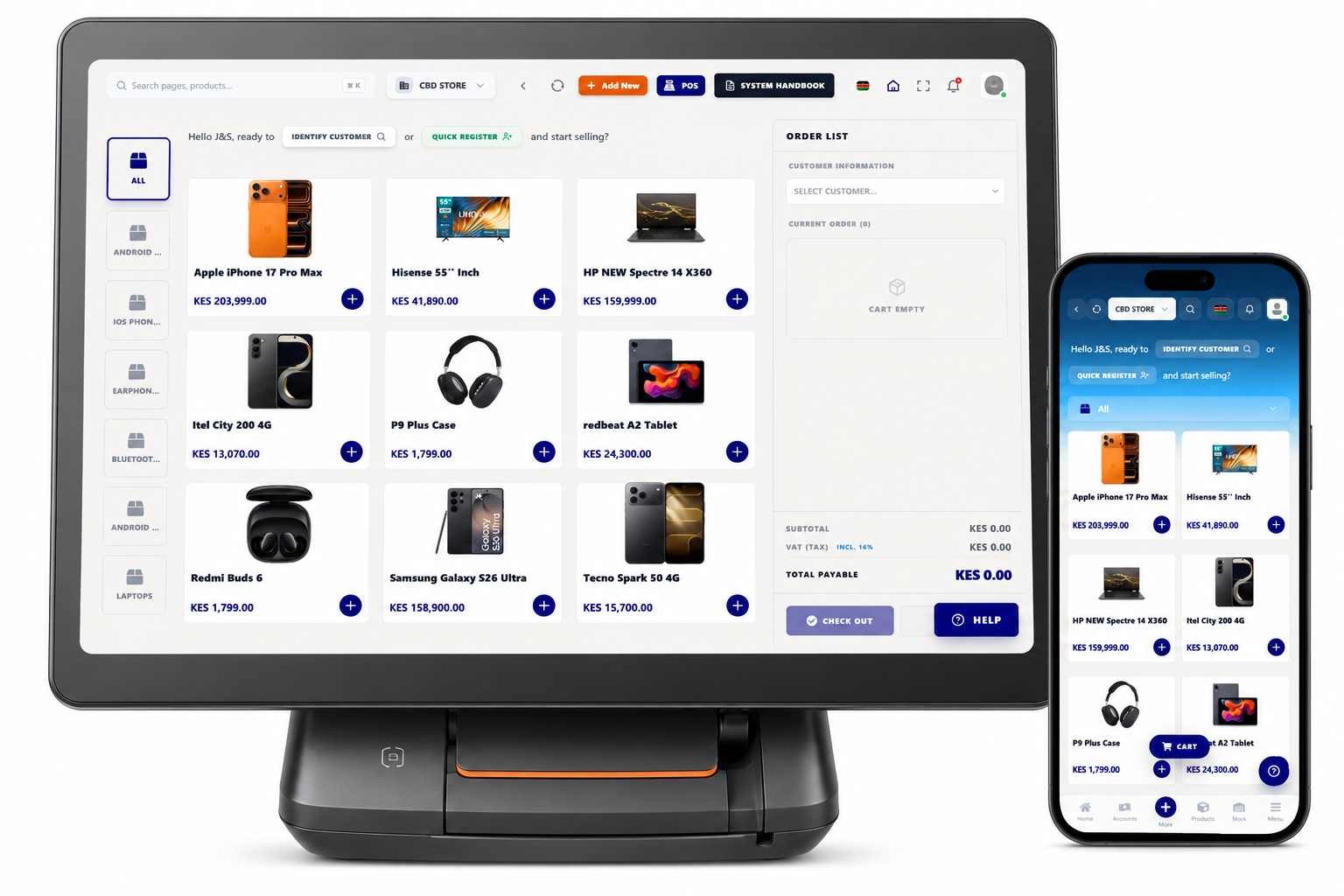
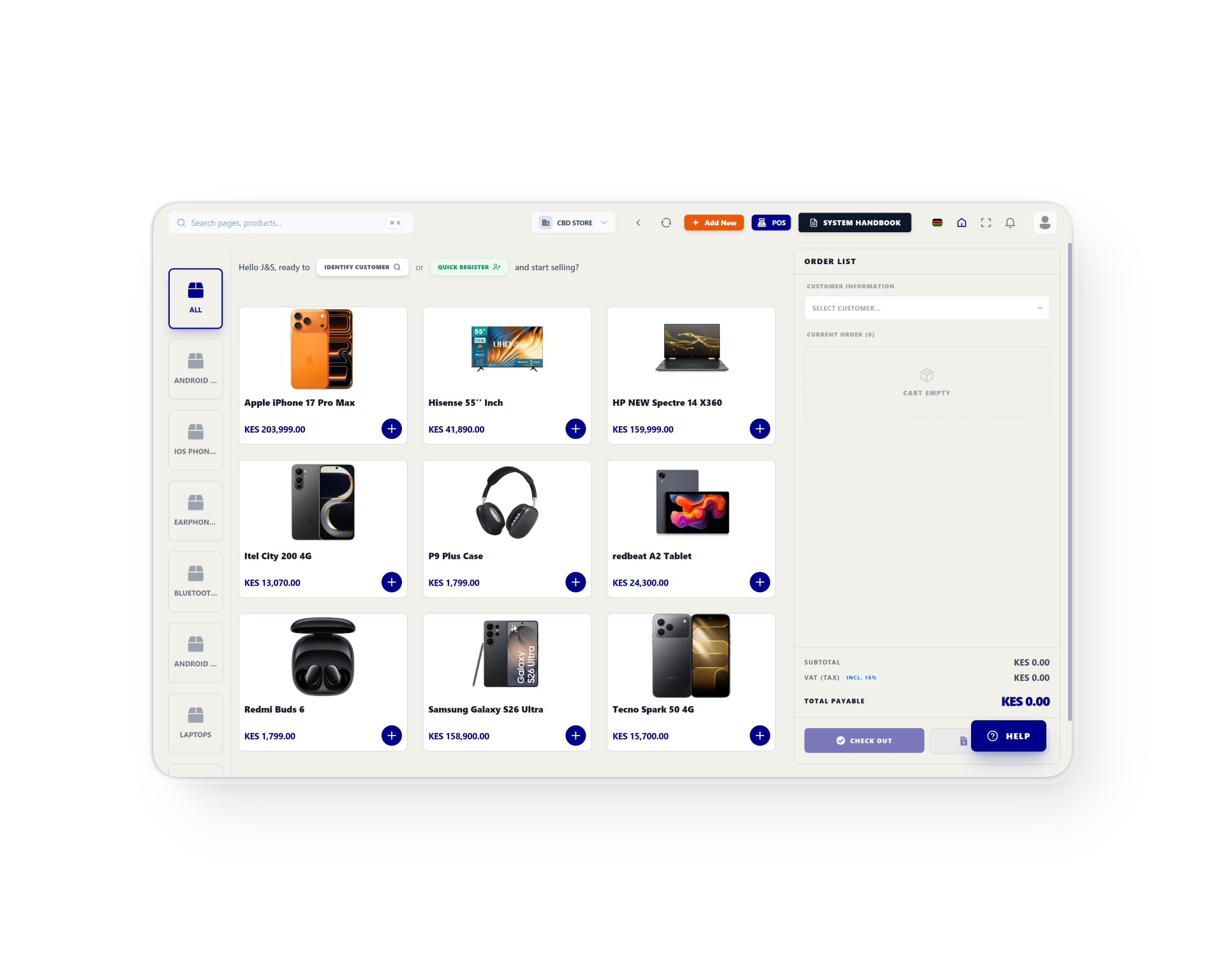
We Know How Counter
Sales Can Get Chaos
Managing crowded shops, reconciling mobile money payments, and tracking disappearing stock is a daily battle. DukaTrack POS brings order to the chaos, ensuring every cent and every item is accounted for instantly.
Smart Checkout
Process sales with lightning speed. Our POS enables fast product selection and cart management across desktop, tablet, and mobile devices for smooth in-store or mobile selling.
Customer Loyalty
Build stronger relationships by tracking purchase history and managing repeat buyers. Use loyalty-based strategies to increase retention and lifetime customer value effortlessly.
Integrated Payments
Accept M-Pesa, MTN Mobile Money, Paystack, and cash in one system. All transactions are recorded instantly, giving you total visibility and control over your revenue flow.
Receipt & Invoices
Generate professional receipts and invoices instantly with support for both cabled and Bluetooth printers. Perfect for both fixed retail setups and on-the-go mobile environments.
Barcode Operations
Speed up operations and eliminate manual errors with built-in barcode support. Quickly add products to the cart and enhance the precision of your sales and inventory tracking.
Real-Time Sync
Every sale automatically updates your inventory in real-time. Prevent stock mismatches and track product movement across all locations from a single connected database.
Why Choose DukaTrack POS?
Minimal Training
Designed for simplicity. Your staff can start selling immediately with our intuitive interface and clear product displays.
Real-Time Sync
Track your business performance instantly across all devices. Sales update inventory automatically across all locations.
Built for Africa
Engineered specifically for local workflows with deep integration for M-Pesa, MTN, and regional payment ecosystems.
Complete Visibility
Get instant accounting reports and revenue insights to manage your business financials with total confidence.
Frequently Asked Questions
Everything you need to know about DukaTrack POS
Sales and implementation
Move from interest to a working DukaTrack setup.
Get help choosing the right plan, mapping your branches, configuring payment workflows, and preparing your team for daily operations.
A practical rollout conversation
Share your business type, locations, users, devices, and payment needs. The team will recommend the setup path.